An AI prompt library template turns a useful instruction into a maintained team asset. Each prompt needs a defined owner, approved use, data boundary, tool context, output requirement, test evidence, version and review trigger.
Use the card generator above for one prompt. Store the approved record in a controlled location with access and history. A shared document full of copied prompts is not a reliable library.
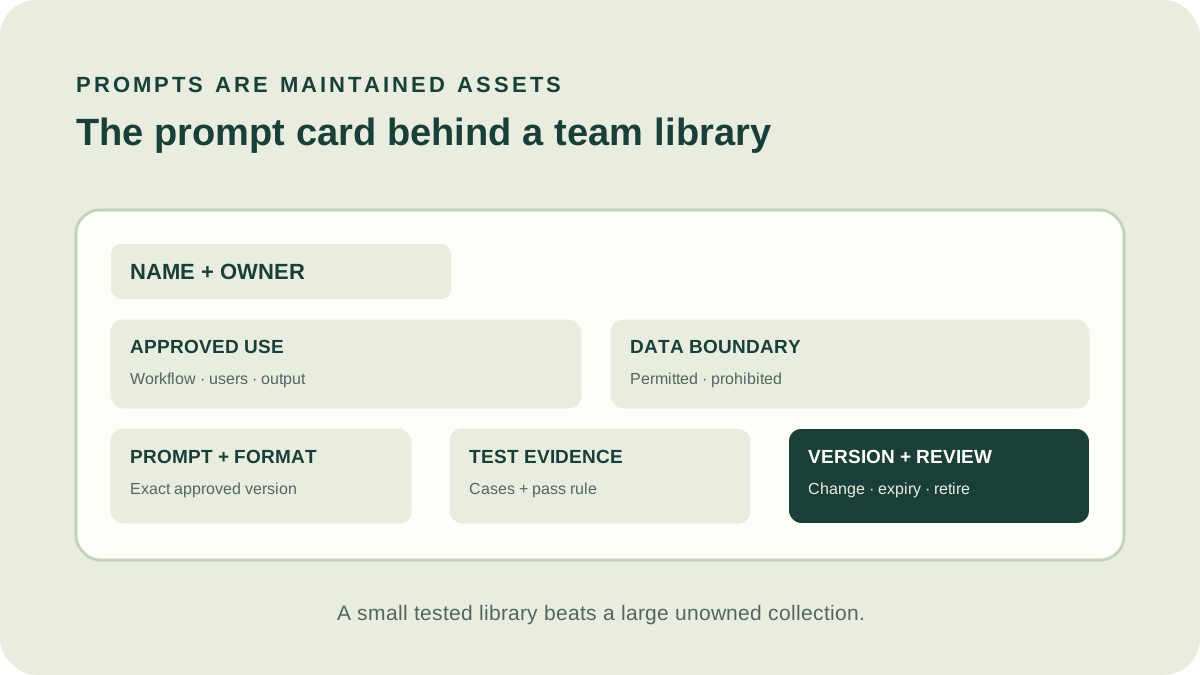
1. Purpose of an AI prompt library template
The library helps teams reuse tested instructions without losing context. It should reduce duplicate work, make boundaries visible and show which prompt is current. It does not approve a tool or data flow on its own.
Start only with prompts tied to a recurring, approved workflow. Personal experiments can remain drafts until they have an owner and representative evidence.
2. Define the prompt card
| Field | Why it matters |
|---|---|
| Name and owner | Creates accountability and a support contact |
| Approved use | Prevents reuse in a different decision |
| Tool context | Identifies service, model, settings or integration |
| Data boundary | States permitted and prohibited information |
| Prompt and output | Preserves the instruction and required response |
| Tests | Shows representative evidence and pass rule |
| Version and review | Controls change, expiry and retirement |
Add examples only when they are approved, minimized and necessary. Synthetic examples can demonstrate format without exposing real data.
3. Attach representative test evidence
Link normal, difficult, incomplete and failure cases with expected behavior. Record model, settings, date, reviewer and result. Preserve limitations and cases where the prompt must abstain or escalate.
Use the quality rubric for material workflows. A prompt should not be marked approved because one demonstration looked good.
4. Control data and prompt injection risk
State which inputs are trusted and whether retrieved content may contain instructions. Keep credentials, secrets and restricted information out of prompt examples. Limit connected permissions outside the prompt.
NIST’s adversarial machine-learning taxonomy explains that direct and indirect prompt injection can affect integrity, privacy and availability. Design assuming untrusted content may manipulate the model.
5. Version prompts like operational assets
Give every approved change a version, reason, author, date and test result. Separate draft from approved and retired states. Avoid editing the only copy in place without history.
Retest after changes to policy, source material, model, plan, integration, output destination or workflow. Notify users when a change alters required review or input.
Measure library usefulness without rewarding volume
Track successful workflow use, review corrections, failures, owner response and retirement—not merely prompt views or downloads. A widely copied prompt with an obsolete policy is a liability, while a rarely used prompt may remain essential for an infrequent critical task.
Review duplicate cards and search failures to improve taxonomy. Collect proposed changes through a draft process so useful employee knowledge is retained without bypassing tests and approval.
6. Govern discovery, approval and retirement
Use clear categories and search terms based on job, audience and output. Avoid publishing dozens of near-duplicates. Consolidate prompts that solve the same task and explain the preferred version.
Assign periodic review and event triggers. Retire unused or unsafe prompts, remove them from discovery and preserve necessary history. Update linked training and workflow instructions.
Prompt text is only one component. Approval applies to the complete tool, configuration, data, user and decision.
7. Prompt-library examples
Support reply
Card names permitted ticket types, policy source, required review, prohibited account facts and tested edge cases.
Meeting summary
Card defines meeting scope, participants, output sections, retention and organizer verification.
Research brief
Card requires primary sources, publication dates, uncertainty and a reviewer who opens every citation.
Common library mistakes
- Saving text without approved use or owner.
- Mixing drafts and approved prompts.
- Copying real sensitive examples.
- Ignoring tool and model context.
- Updating without version history.
- Keeping failed or obsolete prompts searchable.
- Measuring downloads instead of outcome quality.
AI prompt library template FAQ
This AI prompt library template favors a small tested collection over a large unmaintained catalog.
Where should the library live?
In an approved searchable system with access, ownership and version history appropriate to the content.
Who approves prompts?
The workflow owner coordinates relevant domain, security, privacy or compliance review.
How often should prompts be reviewed?
On a defined schedule and after material tool, policy, data or workflow changes.
Should employees contribute?
Yes, through a draft and review process that preserves evidence and boundaries.
Methodology and limitations
ScoutChoice’s AI prompt library template combines prompt text with eight governance fields and test evidence. The card builder runs locally and stores nothing.
This guide is general operational information, not security, privacy, legal or records advice.