Catalogue example
Character.AI
Best for: Consumers who want character-based AI conversations, roleplay and entertainment
View Character.AI →Compare the best AI tools for researchers. Browse pricing, free plans, pros and cons to choose the tools that fit your needs.
Top AI tools for Researchers listed alphabetically, with pricing and free-plan information.
Best for: Consumers who want character-based AI conversations, roleplay and entertainment
View Character.AI →Best for: General AI assistance, writing, research, coding and productivity
View ChatGPT →Best for: Writing, analysis, coding, research and long-form content
View Claude →Compare the tools below and open any profile for full pricing, pros, cons and ScoutChoice details.

Character-driven conversational AI for entertainment and roleplay
Best for: Consumers who want character-based AI conversations, roleplay and entertainment
View Tool →
Versatile AI assistant for writing, research, coding and everyday tasks
Best for: General AI assistance, writing, research, coding and productivity
View Tool →
Simple AI document chat and analysis for PDFs and other files
Best for: Students and professionals who want a simple way to question and summarize documents
View Tool →
AI assistant for writing, analysis, coding and complex tasks
Best for: Writing, analysis, coding, research and long-form content
View Tool →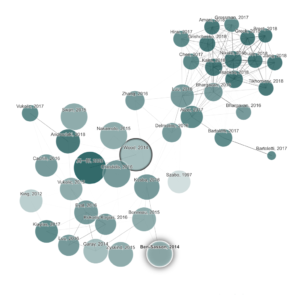
Visual citation graph discovery for academic literature
Best for: Researchers mapping a field and discovering related papers through citation-style visual exploration
View Tool →
Evidence-focused academic search with AI synthesis across research papers
Best for: Researchers, students and professionals who want evidence-backed answers from academic literature
View Tool →
AI language platform for high-quality translation, writing and voice
Best for: Professionals and organizations that need high-quality translation and multilingual writing workflows
View Tool →
Reasoning and coding models with a free chat app and low-cost API
Best for: Developers and technical users seeking strong reasoning with low-cost API access
View Tool →
AI-native browser that synthesizes context across tabs and connected work apps
Best for: Knowledge workers who want AI research and synthesis embedded directly in their browser
View Tool →
AI research assistant for evidence synthesis and systematic-review workflows
Best for: Researchers conducting literature reviews, evidence synthesis and structured extraction across papers
View Tool →
AI meeting notetaker with a strong free tier and CRM-ready team features
Best for: Individuals and sales or customer-success teams that want reliable meeting notes with a generous free plan
View Tool →
AI meeting assistant for transcription, summaries, search and CRM workflows
Best for: Teams that want automated meeting notes, searchable transcripts and integrations with business systems
View Tool →
Google AI assistant for writing, research and productivity
Best for: Google ecosystem users, research, writing and productivity
View Tool →
Source-grounded AI research and learning workspace from Google
Best for: Document research, study and source-grounded analysis
View Tool →
AI writing assistant for grammar, rewriting, tone and generative drafting
Best for: Reviewing suggestions within supported writing applications
View Tool →
Bot-free AI meeting notes with searchable team memory
Best for: Professionals and teams that want private, bot-free AI meeting notes and searchable history
View Tool →
xAI assistant with real-time web and X search plus multimodal tools
Best for: Users who value real-time web/X information and xAI’s multimodal assistant ecosystem
View Tool →
Open-source multi-model AI chat with automatic model routing
Best for: Users and developers who want an open-source chat interface with access to many models and automatic routing
View Tool →
AI document assistant for asking questions across PDFs and files
Best for: Students and professional teams that need fast Q&A and summaries across documents
View Tool →
Academic writing and research assistant with citations and PDF workflows
Best for: Academic drafting with a source library and citations
View Tool →
Legacy name for Mistral Vibe, now a unified work and coding AI agent
Best for: Users researching the former Le Chat product; current buyers should evaluate Mistral Vibe
View Tool →
Literature discovery maps with alerts for ongoing academic research
Best for: Researchers who want visual literature discovery plus ongoing alerts for new papers
View Tool →
General AI agent that executes multi-step tasks instead of only answering
Best for: Users who want an autonomous general-purpose agent for research and multi-step digital tasks
View Tool →
AI-first note workspace with automatic organization and knowledge retrieval
Best for: Knowledge workers who want AI-assisted personal notes and automatic retrieval
View Tool →
Free multimodal assistant across Meta apps, web and AI glasses
Best for: Consumers who want a free multimodal assistant integrated with Meta products
View Tool →
AI assistant for Microsoft workflows and everyday productivity
Best for: Microsoft users, writing and workplace productivity
View Tool →
Mistral’s unified AI agent for work, research and agentic coding
Best for: Individuals and teams that want a Mistral-powered AI agent for research, everyday work and coding across web, mobile, CLI and IDEs
View Tool →
AI-powered calendar and task planning platform
Best for: Scheduling, task planning and personal productivity
View Tool →
Connected workspace with AI for notes, knowledge and team productivity
Best for: Knowledge management, team productivity and organized AI workflows
View Tool →
AI assistance integrated into the Notion workspace
Best for: Knowledge management, writing and team productivity
View Tool →
AI meeting transcription and note-taking assistant
Best for: Meeting transcription, notes and summaries
View Tool →
PDF chat, parsing and structured document extraction platform
Best for: Document-heavy research and knowledge work
View Tool →
AI search and research assistant with cited answers
Best for: Web research, source discovery and fast fact-finding
View Tool →
AI-native Chromium browser with Perplexity’s browsing agent built in
Best for: Knowledge workers who want an AI assistant embedded directly into everyday web browsing
View Tool →
Developer-focused AI search and coding assistant for technical problem solving
Best for: Developers who want technical search and coding answers grounded in web and programming context
View Tool →
Multi-model AI chat platform with access to many leading models
Best for: Users who want one subscription for access to many AI models and custom bots
View Tool →
AI writing toolkit for paraphrasing, rewriting and editing
Best for: Revising existing passages with explicit paraphrasing modes
View Tool →
Alibaba’s agentic, coding and multimodal AI model family
Best for: Users and developers seeking agentic, coding and multimodal models across chat and open deployments
View Tool →
AI assistant embedded in Raycast’s launcher and productivity workflow
Best for: Mac power users who want AI integrated into a keyboard-first launcher and automation workflow
View Tool →
Meeting and work copilot spanning calls, email and messaging
Best for: Individuals and teams that want meeting summaries plus searchable context across connected work
View Tool →
Smart scheduling assistant for calendars, tasks and habits
Best for: Calendar optimization and time management
View Tool →
Visual literature discovery and citation mapping for researchers
Best for: Researchers and students exploring citation networks and building literature-review collections
View Tool →
AI research-paper summarizer with flashcards and literature matrix tools
Best for: Students and researchers who need structured paper summaries and literature-review organization
View Tool →
AI research workspace for literature review, paper analysis and academic writing
Best for: Researchers and students who want literature search, paper analysis and writing in one workspace
View Tool →
Research discovery and citation analysis using Smart Citations
Best for: Researchers who need citation context and evidence evaluation beyond ordinary paper search
View Tool →
Free AI-powered scholarly search and literature discovery engine
Best for: Researchers and students who want a high-quality free academic search and discovery engine
View Tool →
AI-native email client for Gmail with search, summaries and workflow automation
Best for: Gmail users and teams that want AI search and assistance deeply integrated with email
View Tool →
AI productivity suite spanning email, writing, documents and contextual assistance
Best for: Professionals who want a premium AI productivity suite centered on communication and writing
View Tool →
AI meeting notes and action items for teams and recurring workflows
Best for: Teams that want automatic meeting notes and structured follow-up with minimal manual documentation
View Tool →
AI workspace for apps, agents, automations and collaborative projects
Best for: Small teams that want projects, AI agents and automations inside one collaborative workspace
View Tool →

AI voice dictation that turns speech into polished text across everyday apps
Best for: Professionals who want fast, polished voice dictation across desktop and mobile apps
View Tool →
Real-time web search and research infrastructure for AI agents
Best for: Web-grounded AI agents, search APIs and citation-backed research
View Tool →Tools in this category are listed alphabetically. Compare their recorded pricing, access, strengths and limitations, then test the candidates against the work you need to complete.
Alphabetical order helps you browse without implying a performance ranking.
We surface the stored pricing model, starting price and whether a free plan is available.
Tool profiles include practical pros and cons to help you check suitability.
Best-for data and use cases help distinguish tools that may look similar on paper.
Start with the job you need the tool to perform rather than choosing only by popularity.
Compare free-plan limits, entry pricing and whether the paid features match your actual workflow.
Compare the stated strengths and limitations with evidence from your own trial.
Prefer tools that integrate naturally with the software, team and processes you already use.
There is no universal winner. This directory is alphabetical; compare the listed profiles against your workflow, budget and required features, then verify the current provider details.
Some tools on this page offer a free plan or freemium pricing. Check each card and full tool profile because limits and included features can change by plan.
Start with your core use case, then compare pricing, free-plan limits, strengths, limitations and how well each product fits your existing workflow.